
You get sample comments and posts in a fresh WordPress install. You can easily remove them in the following way.
1. Log in to the WordPress dashboard.
2. From the Dashboard menu, go to Posts and click on All Posts.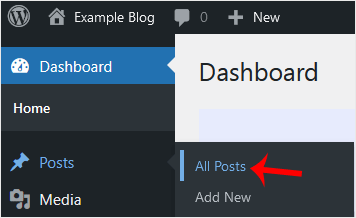
3. Hover the mouse on the sample post and click on Trash.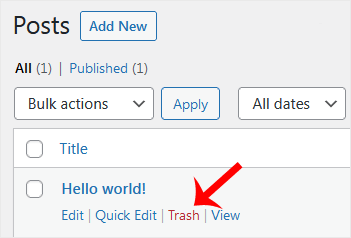
4. Now, do the same with the sample pages. Head to the Dashboard menu, hover your mouse on Posts, and click All Posts. Remove the sample pages.
5. Similarly, you can remove sample comments. Choose Comments from the dashboard, hover your mouse over a comment and choose Trash.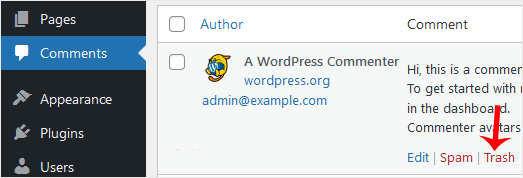
After you take these steps, your blog will be clean from sample comments and posts.





