
You can remove the published or draft post in WordPress.
1. Log in to the WordPress dashboard.
2. From the Dashboard menu, go to Posts and click on All Posts.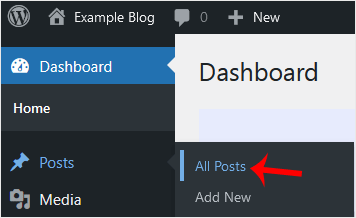
3. Hover your mouse to the post you want to remove, and click on Trash.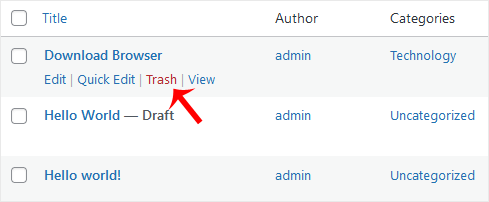
You will get a message that the post has been moved to Trash.





