
Follow this tutorial if you have a feature list you don't need and want it removed.
1. Log in to your WHM Account.
2. Go to Packages >> Feature Manager or type Feature Manager in the menu filter box. The option will appear. Click on it.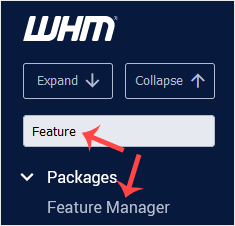
3. Under Manage feature list, choose the feature list you wish to remove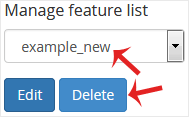
4. Click on Delete.
Congratulations. Your selected feature list has been successfully removed.





